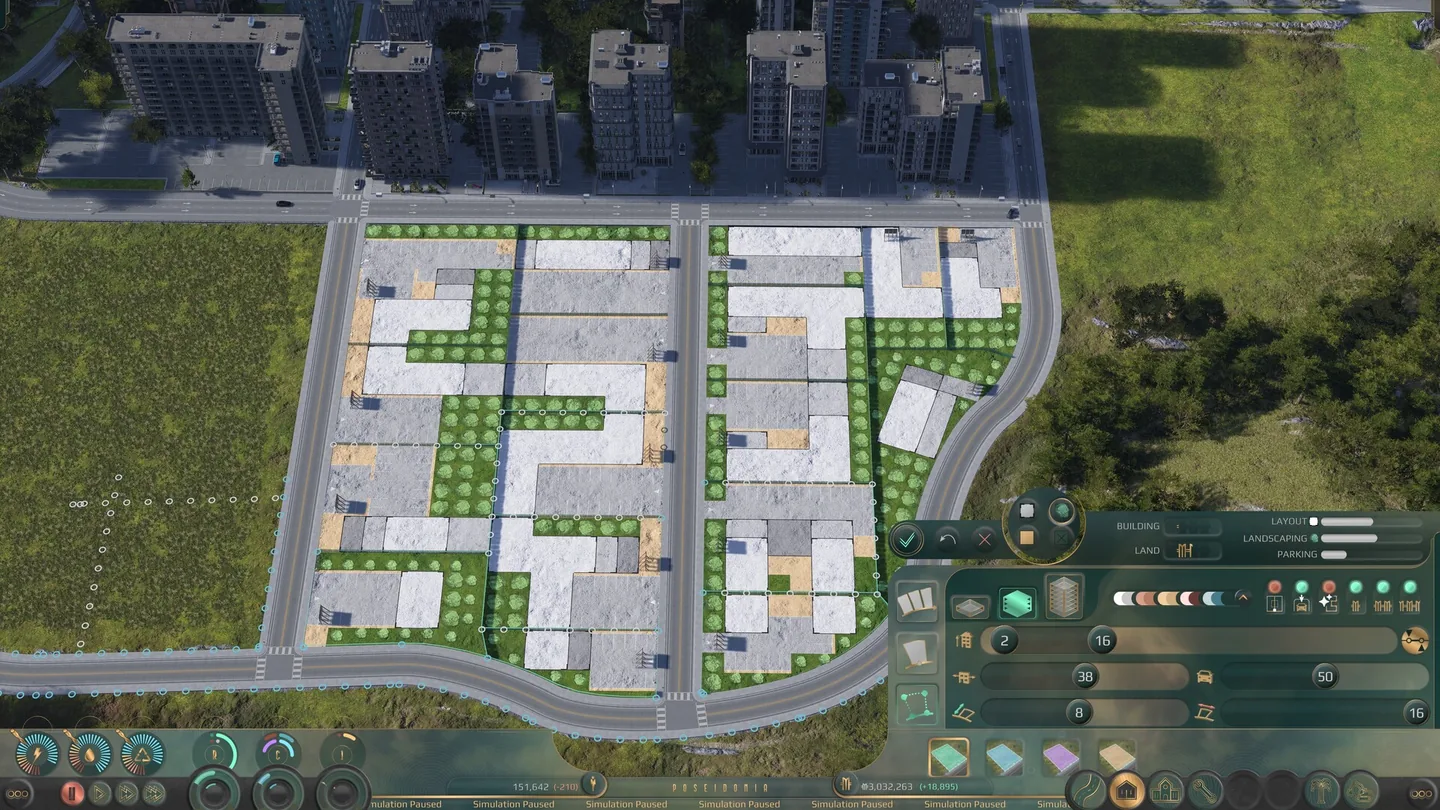
Zoning in Citystate Metropolis is grid-less. You draw zones of any shape and set the rules for what gets built there: building footprints, setbacks, floor counts, parking spaces, height, width, colours and shape. The game then grows procedurally generated buildings that follow your rules. Those same rules drive who can afford to live there, so zoning is both a design tool and your main economic lever. This guide explains the system from the official Steam page, the developer’s November 2026 announcement and what is visible in official screenshots. The game is not out until December 10, 2026, so exact controls may change.
Quick facts
- Zoning style
- Grid-less, any shape
- You control
- Footprint, setbacks, floors, parking, style
- Buildings
- Procedurally generated to your rules
- Building types
- Residential, commercial, industrial, service, utility
- Unlocks
- None, everything available from the start
Grid-less zoning in plain terms
Most city builders paint zones onto a grid of cells beside a road. Citystate Metropolis does not use cells. The Steam page describes “grid-less zoning tools” that “can create neighborhoods of all types and shapes by allowing total control over building footprints, setbacks, floor counts and parking spaces.” The developer’s announcement repeats it as “grid-less zoning, with custom building layouts and styles.”
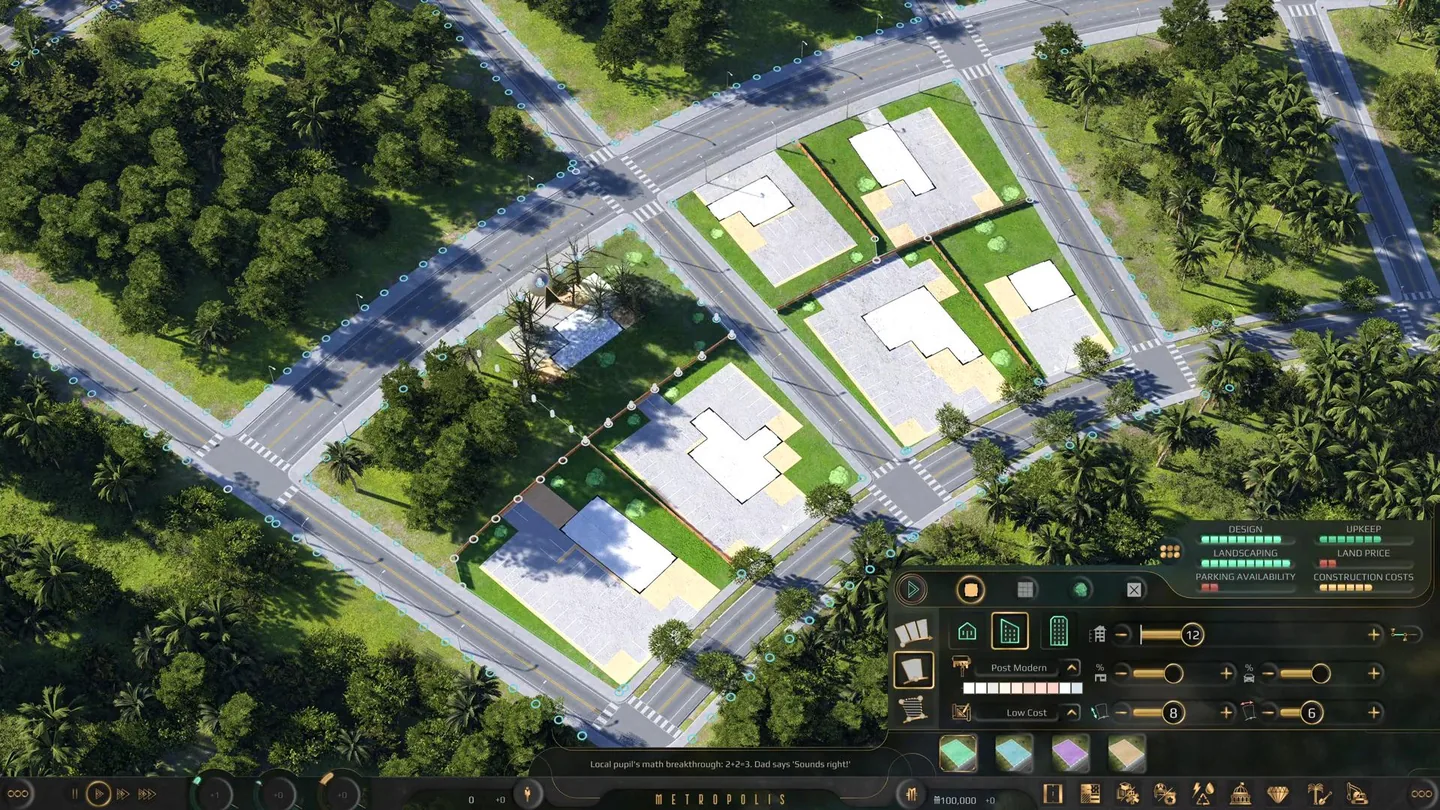
In official screenshots, zones follow curved streets with editable outlines, shown as dotted lines with handles around each block. Lots inside are filled with building footprints, gardens and parking.
What you can set on a zone
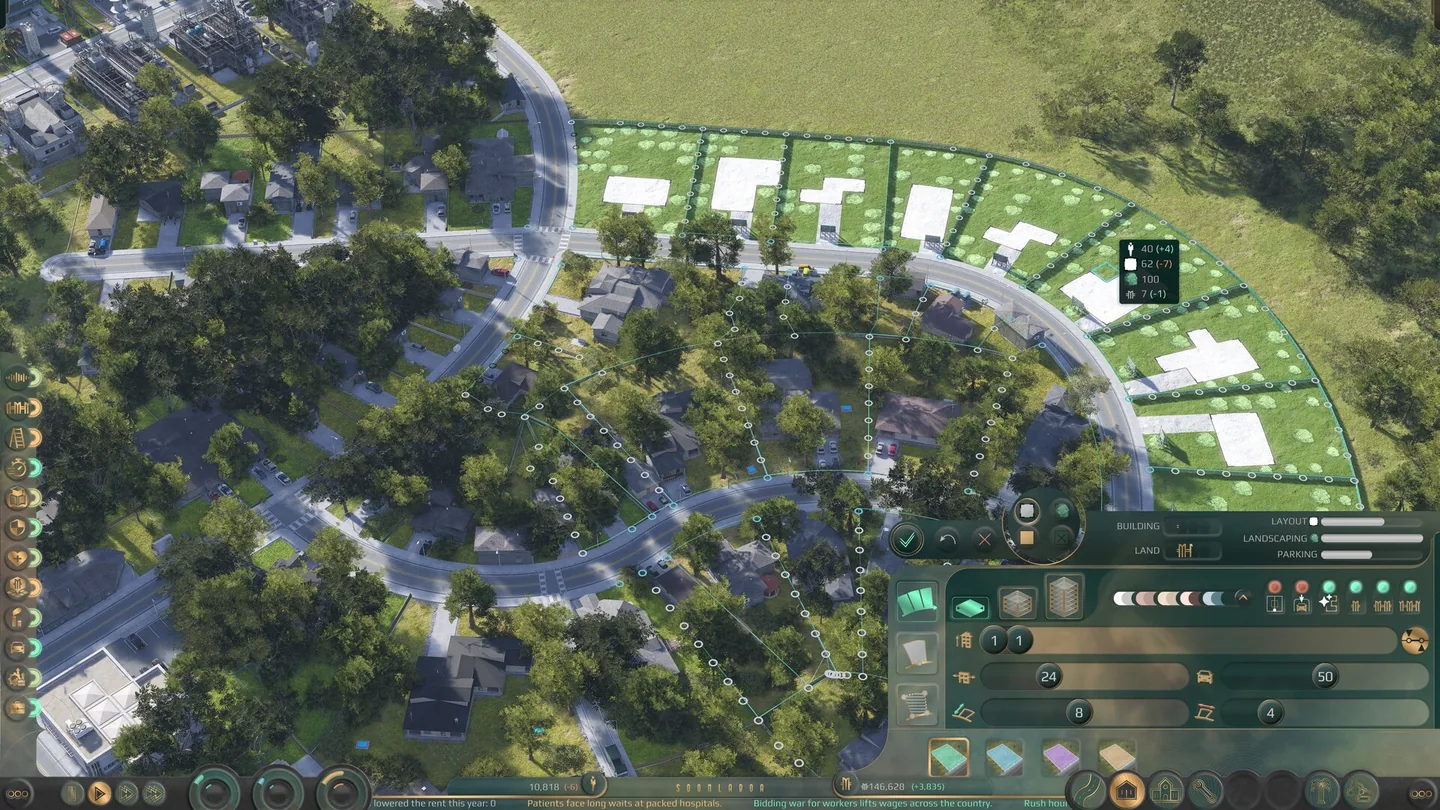
From the store page, these are the controls you get:
- Building footprint: how much of the lot the building covers.
- Setbacks: how far buildings sit back from the street.
- Floor counts: how tall buildings may grow.
- Parking spaces: how much parking each lot must provide.
- Height, width, colours and shapes for residential, commercial, industrial and service buildings.
The zoning panel in the screenshot above shows this. It has Building and Land toggles, sliders for Layout, Landscaping and Parking, a row of colour swatches, and numeric range sliders. One reads 2 to 16, which fits a minimum and maximum floor count. Four zone-type tiles sit along the bottom. The panel is from a pre-release build, so labels may change.
Why your zoning rules matter for the economy
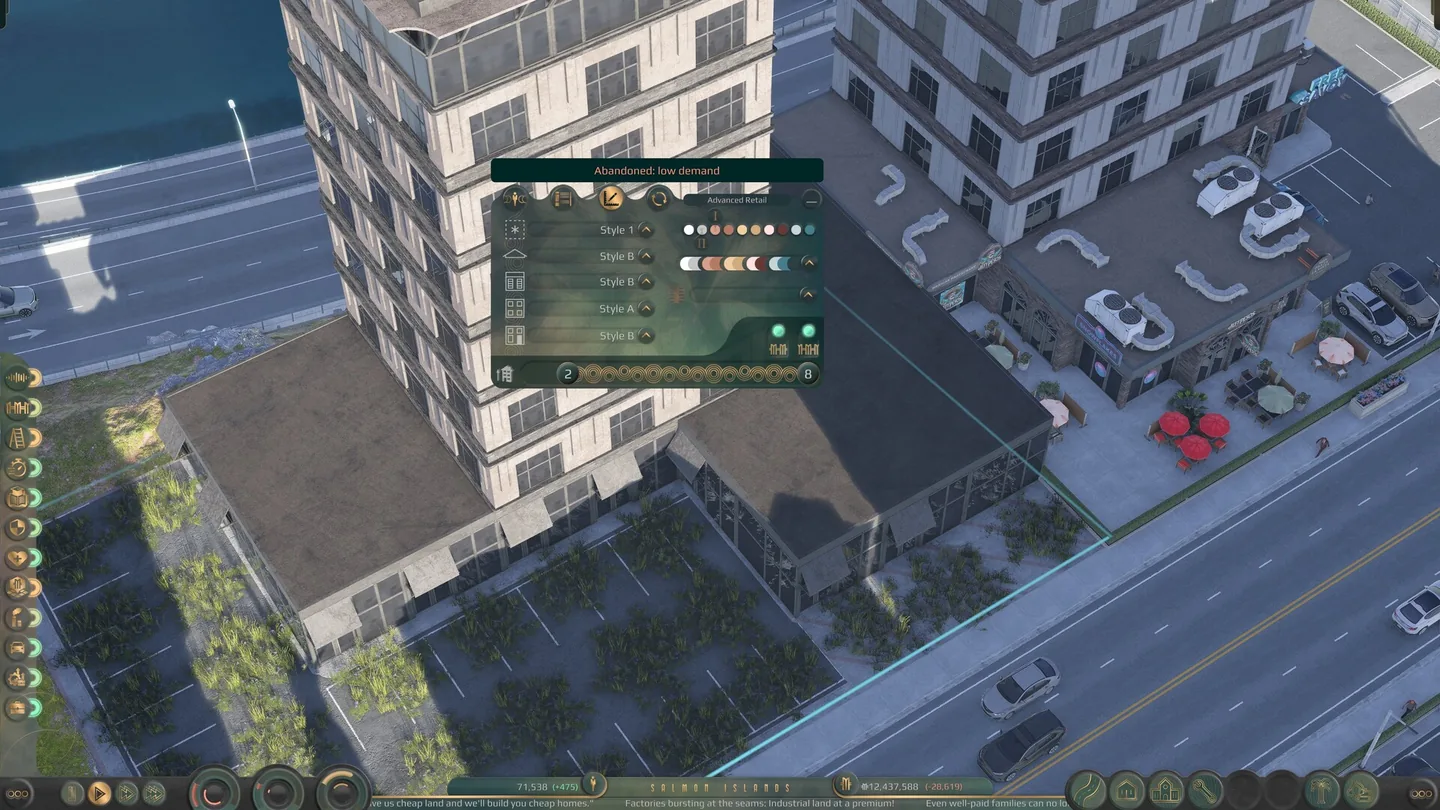
In Citystate Metropolis, the rules are “the very drivers of the city’s growth, its socioeconomic profile; and thus, how the city looks and feels,” according to the Steam page. It gives two examples:
- Build simple and cheap to lower housing costs and foster social mobility.
- Build fancy and eco-friendly to raise land value and attract foreign investors.
Neither is “correct”. The store page says to “experiment to find the perfect balance between form and function,” and the developer writes that “there is no single right answer, no perfect scenario.” The trade-offs are covered in social dynamics and economy and budget.
Affordable housing depends on where you zone
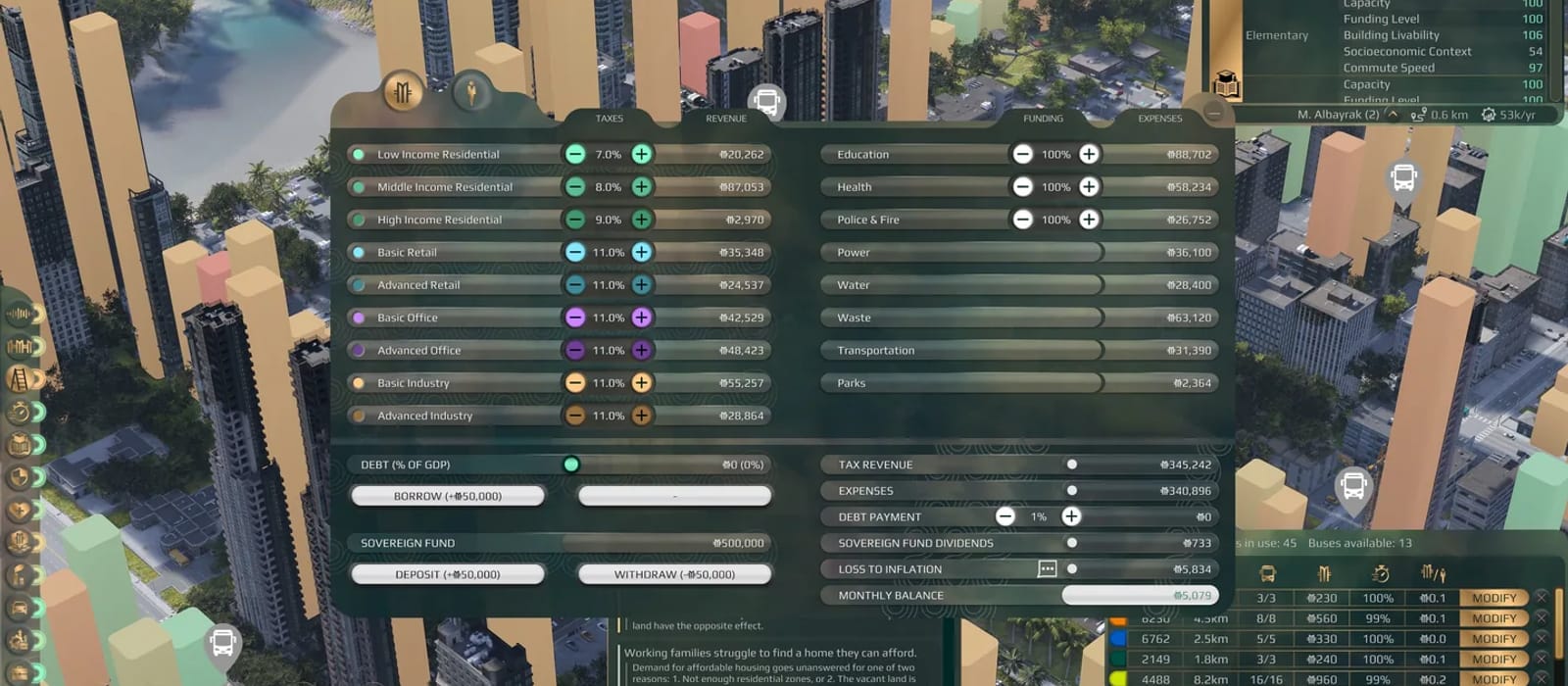
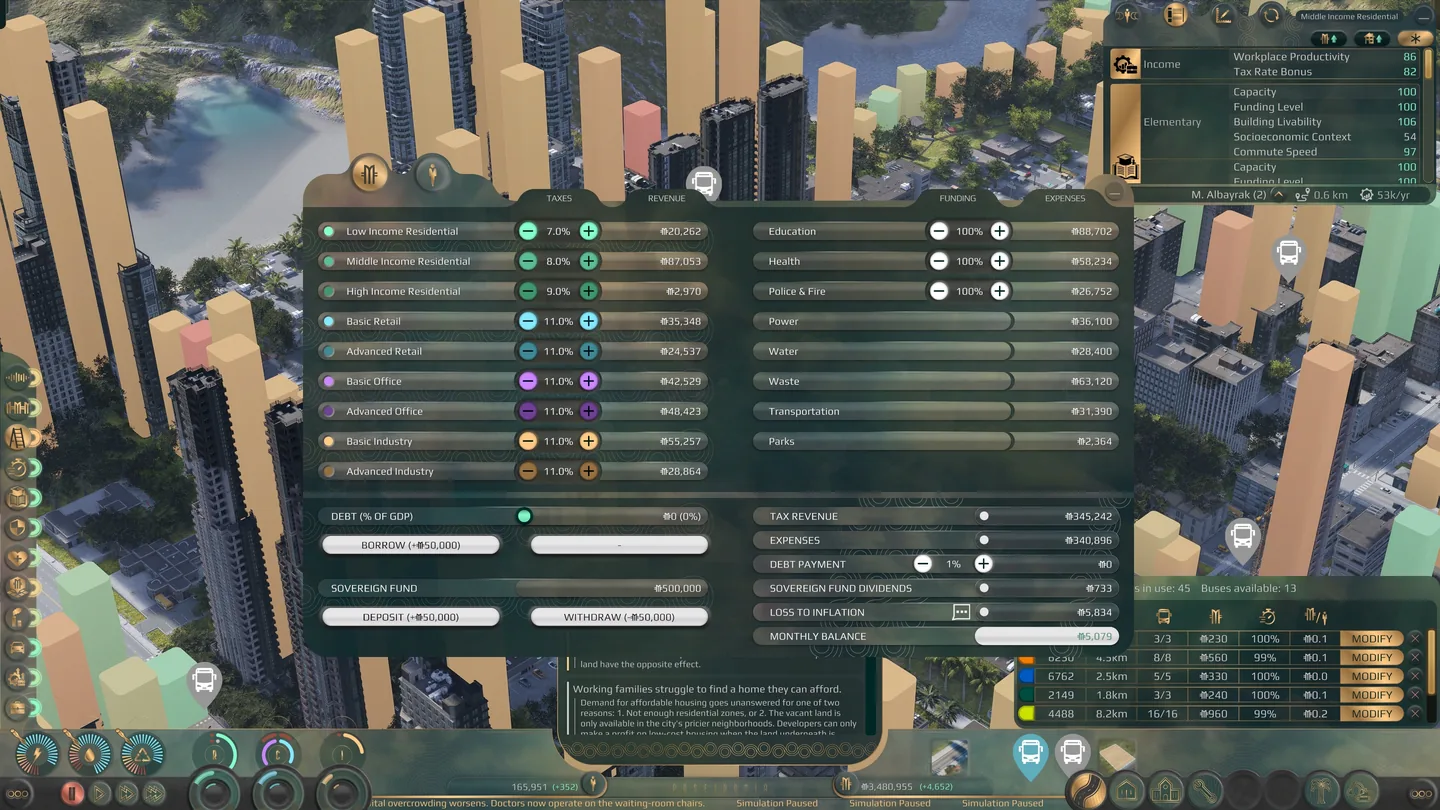
An in-game message in the developer’s budget screenshot shows how zoning and land value connect: “Working families struggle to find a home they can afford. Demand for affordable housing goes unanswered for one of two reasons: 1. Not enough residential zones, or 2. The vacant land is only available in the city’s pricier neighborhoods. Developers can only make a profit on low-cost housing when the land underneath is…” (the rest is cut off in the image).
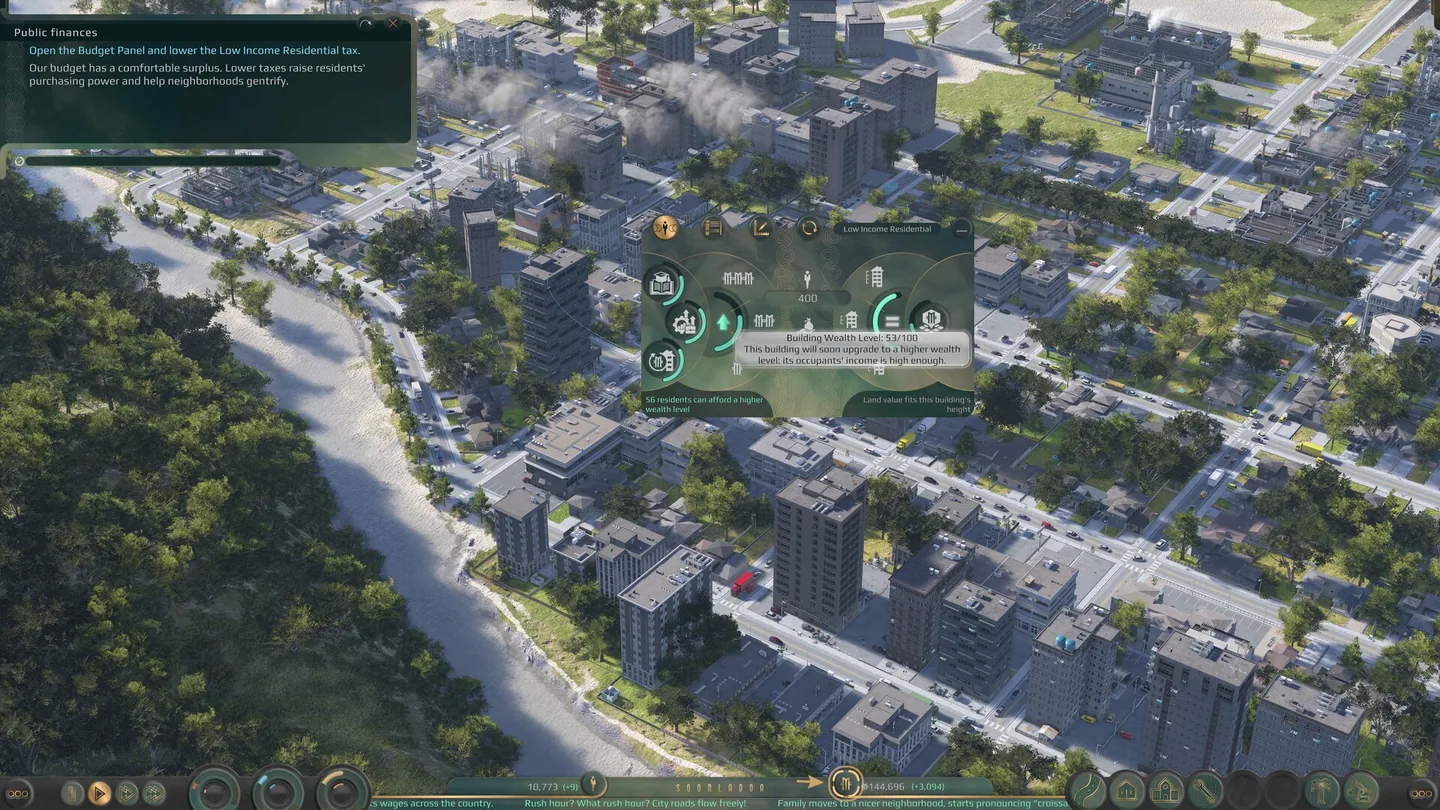
In practice, if low-income residents cannot find homes, zone more residential land, or zone it in cheaper areas instead of next to your most expensive districts. A tutorial screenshot also shows a building panel with “Land value fits this building’s height”, which suggests the game compares land value with the height you allow.
Buildings level up through wealth
The same tutorial screenshot shows a Low Income Residential building with “Building Wealth Level: 53/100” and the note “This building will soon upgrade to a higher wealth level: its occupants’ income is high enough.” Another line reads “56 residents can afford a higher wealth level.” So buildings can move to a higher wealth level as residents earn more. The developer adds that “the nicest-looking buildings only show up in the best-run cities.”
Zoning tips for your first city
- Draw zones to fit the land. Grid-less zoning lets you follow rivers, coasts and hills instead of forcing a grid.
- Mix cheap and pricey areas so working families can find housing.
- Leave room for parking if your rules require it. Parking requirements are part of the zone.
- Start modest on height and raise limits as land value grows.
- Everything is unlocked from the start, so build what you want right away.
See also roads and traffic, since zones sit along the roads you draw.
Citystate Metropolis zoning FAQ
Does Citystate Metropolis use a zoning grid?
No. Zoning is grid-less, so you can draw zones of any shape along curved or straight roads instead of filling fixed squares.
Can you design your own buildings?
You set the rules: height, width, colours, shapes, footprints, setbacks, floor counts and parking. The buildings themselves are then procedurally generated to fit those rules.
What zone types are there?
The official descriptions name residential, commercial, industrial, service and utility buildings, and screenshots show separate tax lines for different income levels of residential.
Do you unlock zones as the city grows?
No. The developer says all buildings and tools are unlocked from the start.