In Citystate Metropolis you run a free-market city-state. You don’t manage production chains. You set taxes, fund services, borrow or save, and the market decides what gets built. The developer sums up the job as finding “the right balance between public spending and low taxes, between aesthetics and the cost of living.” This guide explains the economy from the official Steam page, the developer’s November 18, 2026 announcement, and a full budget panel he published with it. Figures in screenshots come from a pre-release build and may change before the December 10, 2026 launch.
Quick facts
- Economy model
- Free-market, no supply chains
- Tax lines
- 9 (3 residential, 6 business)
- Funded services
- Education, Health, Police & Fire
- Other costs
- Power, water, waste, transport, parks
- Saving and borrowing
- Debt and a sovereign fund
- Bankruptcy
- Strong guardrails, per the developer
Not a supply-chain game
The developer puts this first in his announcement: “This is not a supply-chain management game. In Citystate, the economy is driven by free-market forces.” He adds: “You are a politician, a civil engineer and an urban planner. You’re not a CEO (those are simulated).” The Steam page says the same: “the mayor doesn’t manage production lines; he creates the conditions for growth and development.”
So there are no factory inputs to route. You shape demand and land value with zoning, roads and services, then tune taxes and spending.
The nine tax brackets
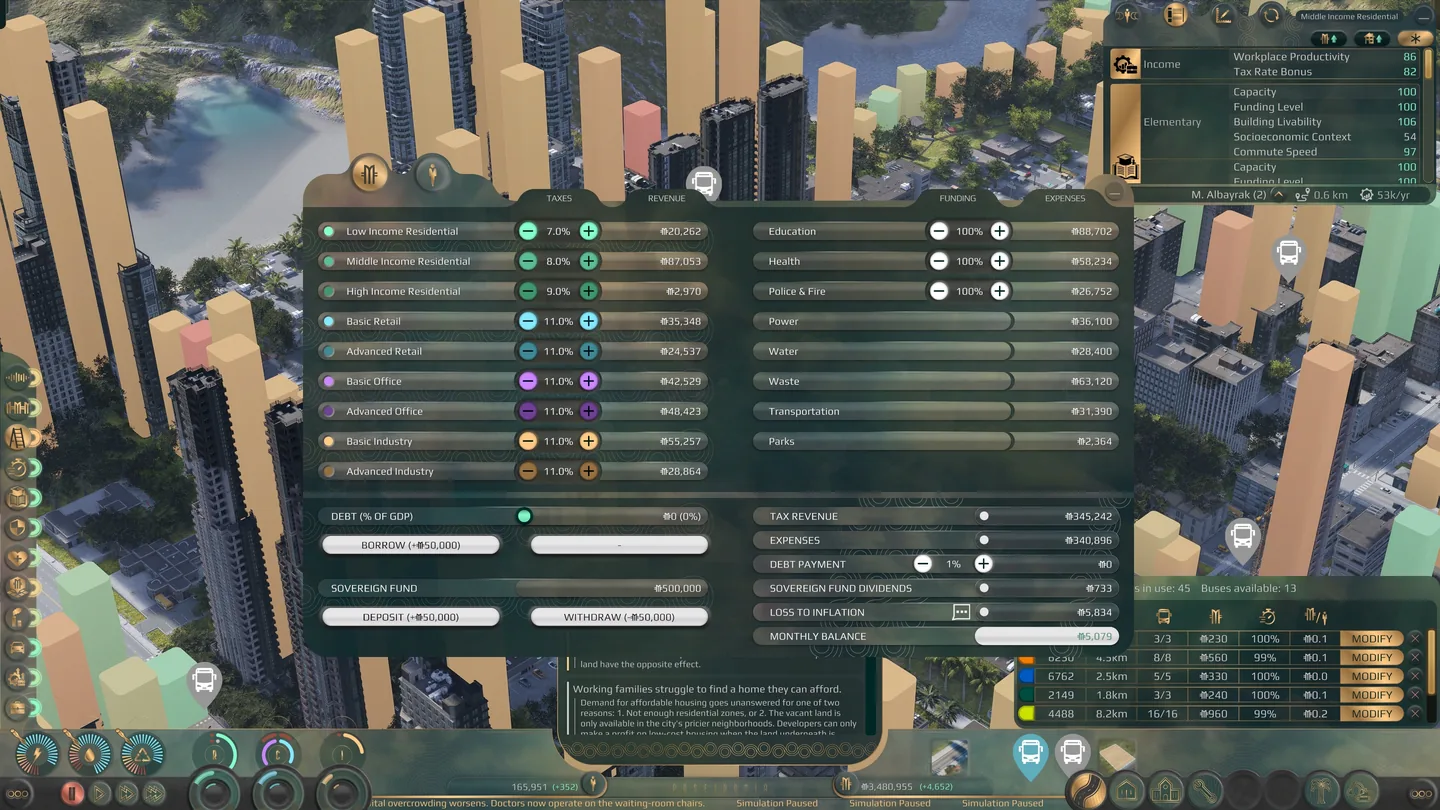
The official budget screenshot has a Taxes column with a rate and a Revenue figure for each line:
| Tax line | Rate shown |
|---|---|
| Low Income Residential | 7.0% |
| Middle Income Residential | 8.0% |
| High Income Residential | 9.0% |
| Basic Retail | 11.0% |
| Advanced Retail | 11.0% |
| Basic Office | 11.0% |
| Advanced Office | 11.0% |
| Basic Industry | 11.0% |
| Advanced Industry | 11.0% |
Each line has minus and plus buttons. These are the settings in one example city, not recommended values. Taxing residents separately by income is what makes the game’s social systems work. See social dynamics.
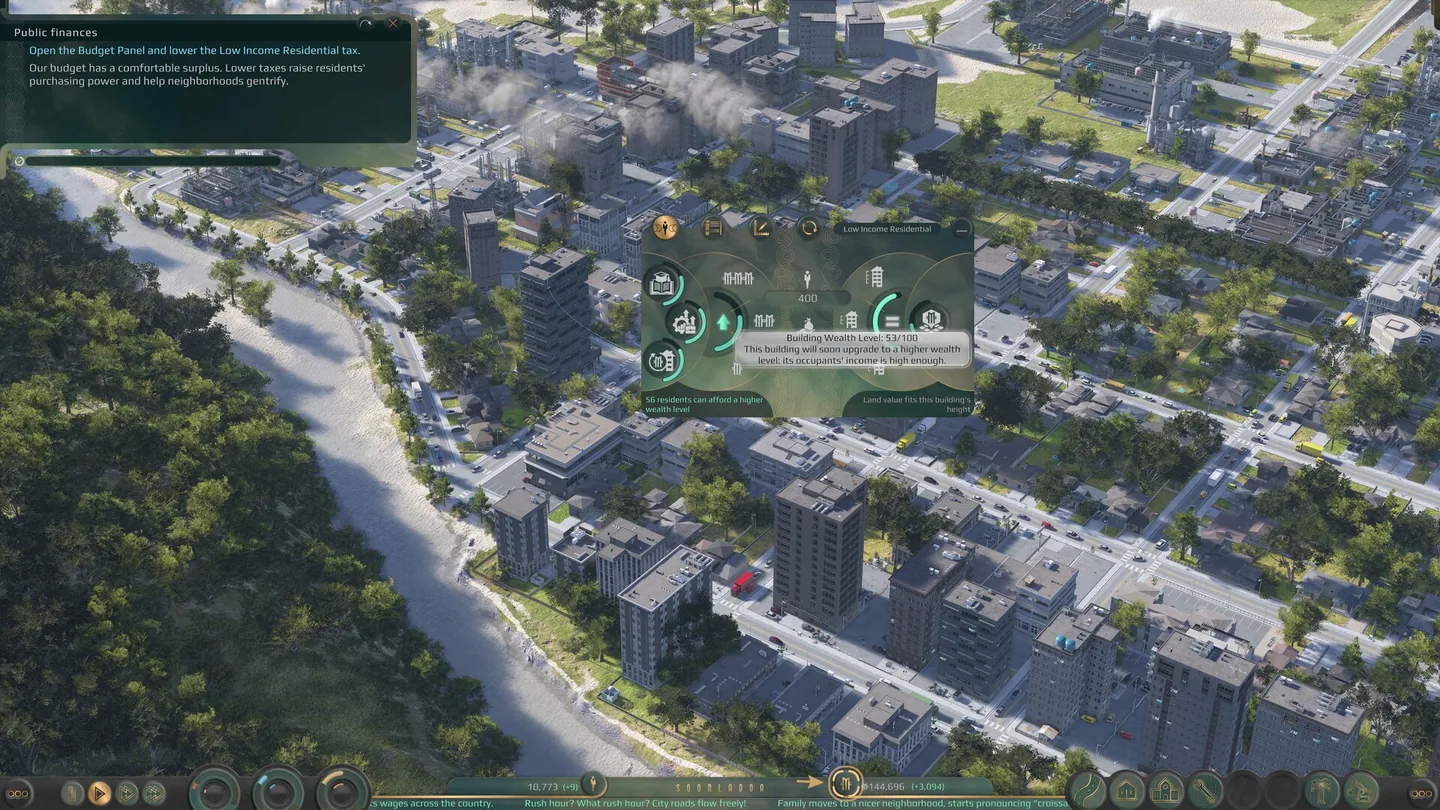
An in-game “Public finances” tip in another official screenshot shows how the game wants you to use them: “Open the Budget Panel and lower the Low Income Residential tax. Our budget has a comfortable surplus. Lower taxes raise residents’ purchasing power and help neighborhoods gentrify.”
Spending: funding levels and running costs
The Funding and Expenses side of the panel has two kinds of lines:
- Adjustable funding with minus and plus buttons: Education, Health, and Police & Fire, each shown at 100%.
- Running costs with no slider in the screenshot: Power, Water, Waste, Transportation and Parks.
The store page sums it up: “the budget needs to be balanced, taxes have to be collected and hard decisions will have to be made.”
Debt, the sovereign fund and the monthly balance
The bottom of the budget panel shows the city’s finances:
- Debt (% of GDP), with a Borrow (+50,000) button. It reads 0 (0%) in the example.
- Sovereign Fund, a savings pot of 500,000 in the example, with Deposit (+50,000) and Withdraw (−50,000) buttons.
- A summary: Tax Revenue, Expenses, Debt Payment (an adjustable percentage), Sovereign Fund Dividends, Loss to Inflation and the Monthly Balance.
In that example, tax revenue was about 345,000 against about 341,000 in expenses, and the fund paid a small dividend. Inflation is simulated too, and it eats into your cash.
Measuring success: productivity, GDP and stars
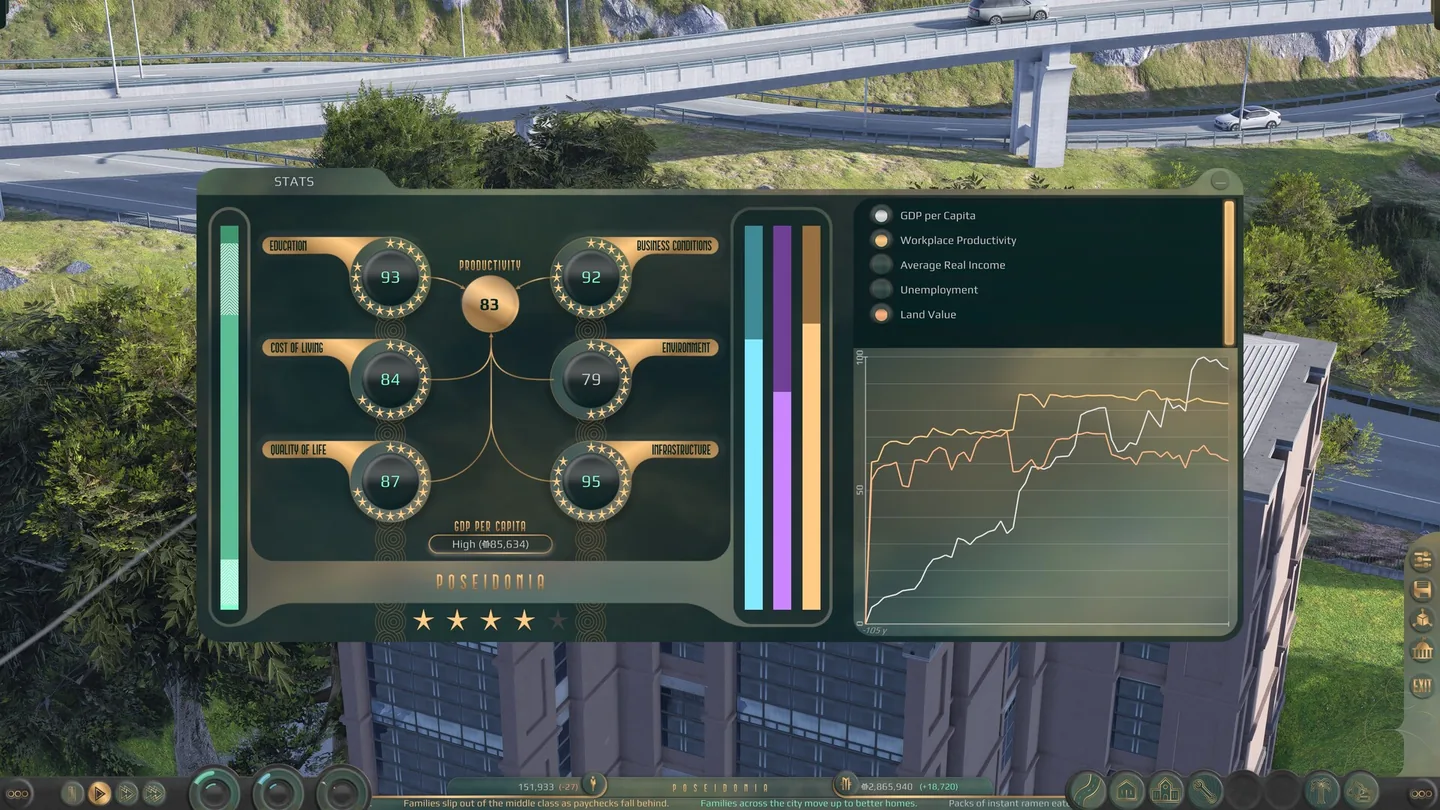
Another official screenshot shows a city stats panel. A central Productivity score of 83 links to sub-scores including Business Conditions (92), Environment (79) and Infrastructure (95). It also shows GDP per Capita (“High”) and a star rating, with four of five stars lit. A graph tracks GDP per Capita, Workplace Productivity, Average Real Income, Unemployment and Land Value over time.
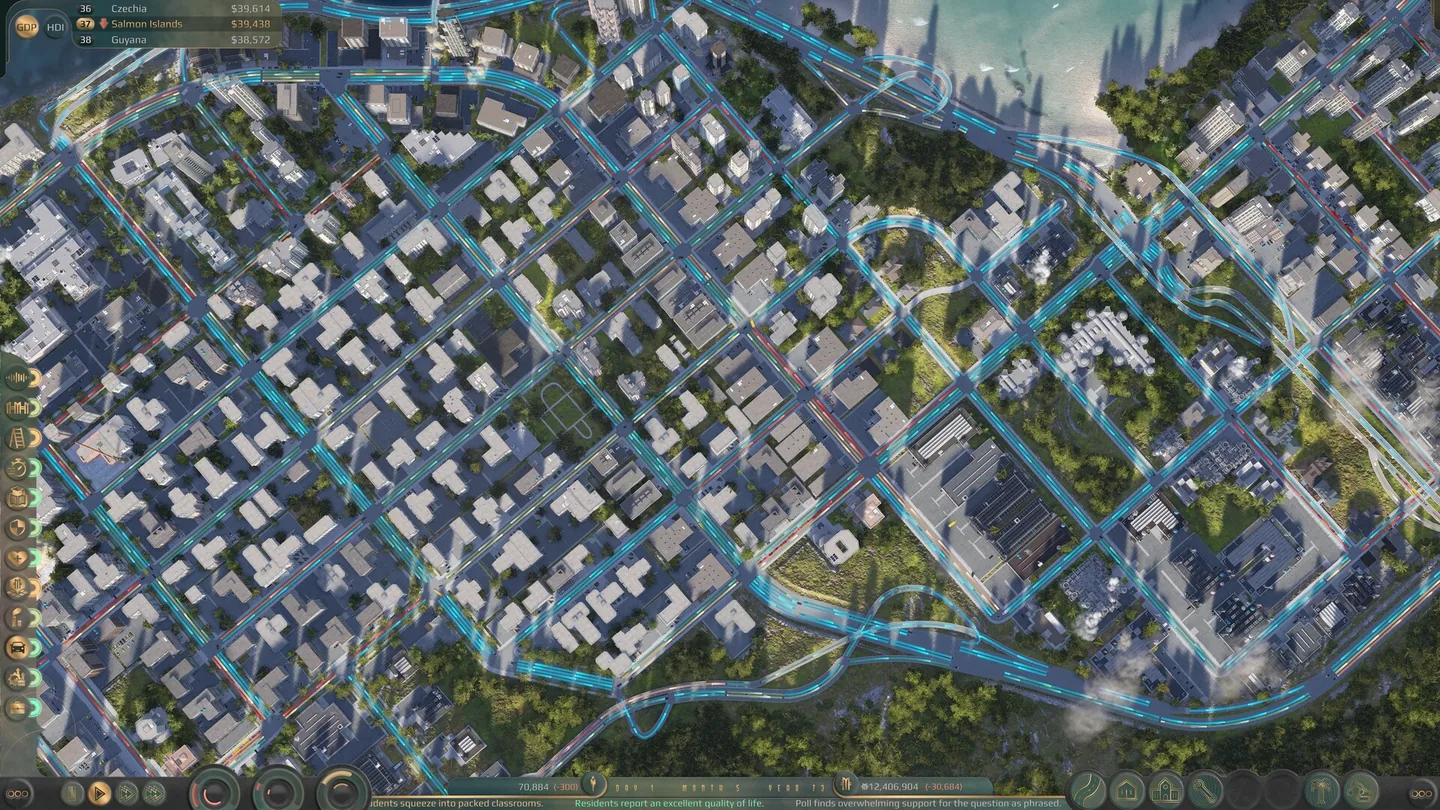
A traffic screenshot also shows a GDP and HDI ranking that places the city among real countries. In that example it sits 37th, between Czechia and Guyana. HDI usually means Human Development Index, which matches the developer’s “maximum human development” goal.
Can you go bankrupt?
The developer says you can “go down the rabbit hole of min-maxing every single stat, or play it casual and build pretty things freely. Strong guardrails keep you from going bankrupt, but the nicest-looking buildings only show up in the best-run cities.” A sloppy budget probably won’t end your game, but it will cap how good your city looks.
Economic levers in one place
The store page frames the governor’s choice as “cheap and unregulated to quicken growth or restricted and gentrified to boost tax revenue.” Your levers are:
- Tax rates for each income group and business type.
- Service funding for schools, health and police and fire.
- Zoning rules, where cheap rules lower living costs and fancy rules raise land value.
- Debt and savings through borrowing and the sovereign fund.
You set your own goal: “maximum population, minimum congestion, maximum human development, highest GDP or best aesthetics.” All buildings and tools are unlocked from the start.
Budget tips for your first city
- Keep a small surplus before cutting taxes, as the tutorial tip suggests.
- Lower low-income taxes when you have room, to raise purchasing power.
- Fund schools and health fully early on, since they feed the stats that drive productivity.
- Use the sovereign fund as a buffer instead of borrowing for every project.
- Watch the monthly balance after each big build.
Citystate Metropolis economy FAQ
Is Citystate Metropolis a supply-chain game?
No. The developer says plainly that it is not a supply-chain management game. The economy is driven by free-market forces, and your job is to balance public spending, taxes and the cost of living.
Can you go bankrupt in Citystate Metropolis?
The developer says strong guardrails keep you from going bankrupt. You still have to balance the budget, and the nicest buildings only appear in well-run cities.
What taxes can you set?
An official budget screenshot shows nine tax lines: low, middle and high income residential, basic and advanced retail, basic and advanced office, and basic and advanced industry.
What is the sovereign fund?
A savings fund shown in the budget panel. You can deposit or withdraw money in 50,000 steps, and it pays dividends into your monthly balance.